An intuitive lighting console for iPad and iPhone.

Build your lighting plot, patch your fixtures and control the light by touch. Scenes, effects and timelines stay in one project, shared between iPad and iPhone over LAN or the Internet.

iPad + iPhoneThe same project and controls adapt to both screen sizes. LAN or InternetCollaborate locally without Internet, or connect remotely when needed. Readable DMX512 channels, conflicts and output state stay close to the work.

Follow Lumographe

What’s new · upcoming version 1.1.3

Paint the light. Share the gesture.

A light brush, your own shapes and new ways to build effects and control Tournesol.

These additions preview the version in development. They will become available through upcoming updates after App Store approval and release.

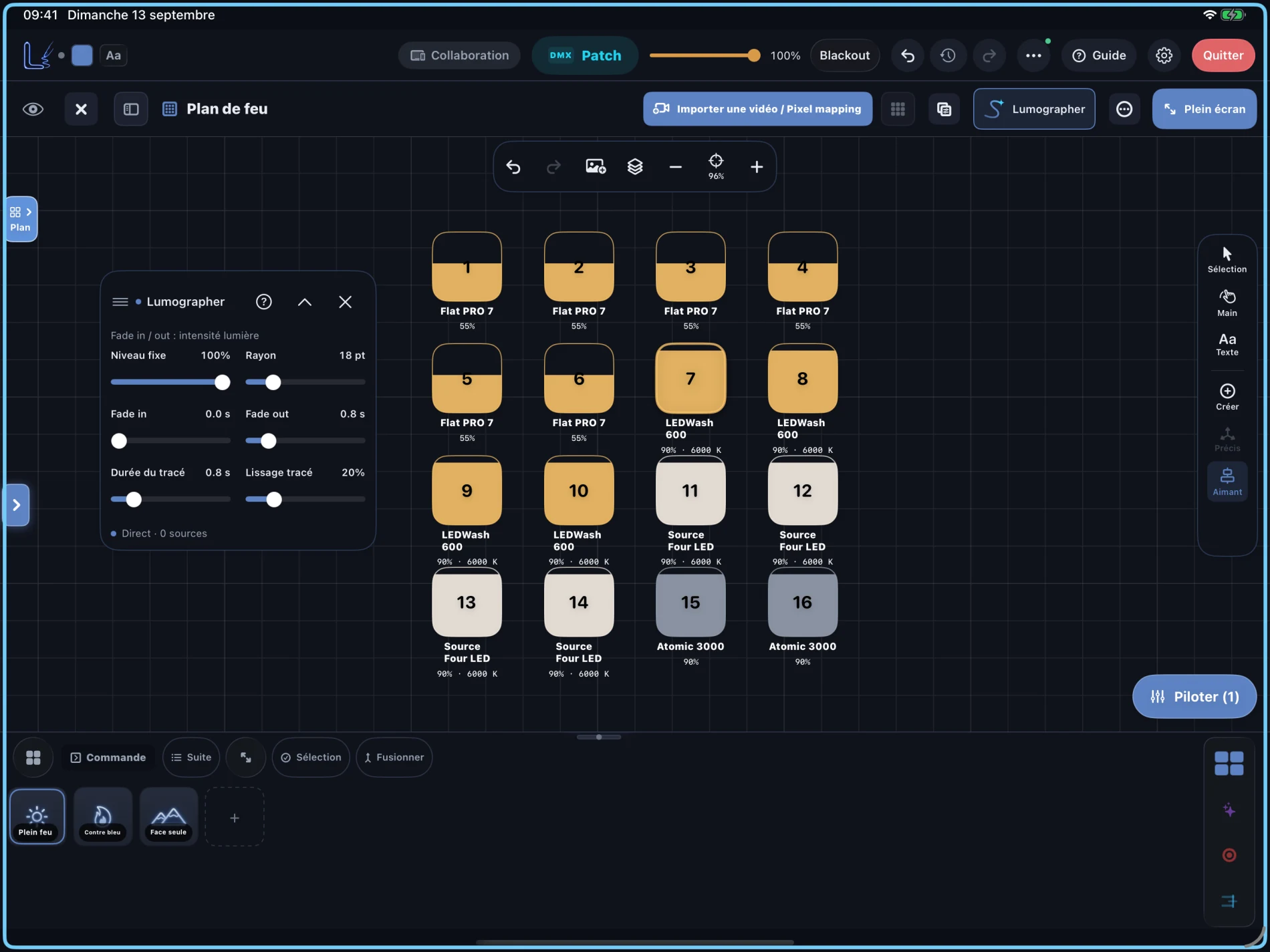
Lumographer Tool

Sweep over fixtures on the plot with your finger or Pencil to light them temporarily. Adjust radius and light fade-in / fade-out independently of the trail duration and smoothing. Move or collapse the panel while using the tool; a compatible Pencil adds pressure control for intensity. Gestures also work over LAN, subject to session permissions.

Your shapes, your plot

Save drawings as personal shapes, organize them and reuse them on the plot or in cells. Frame an area for PDF or JPG export, and link a shape to a scene or macro to trigger it by touch.

Audio in FX Workshop

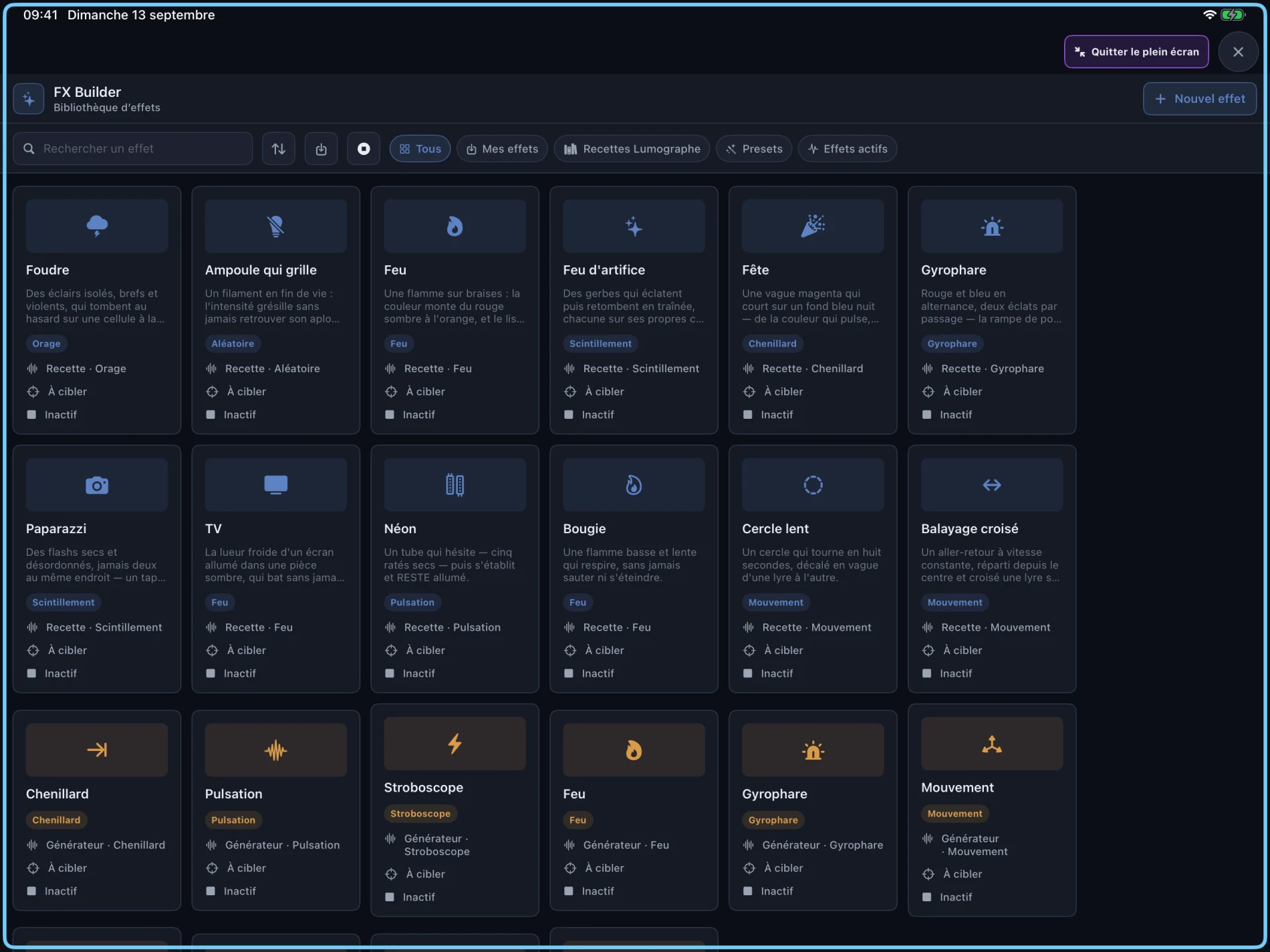
Import a local audio file, estimate its tempo and explore rhythm, energy and harmony suggestions to build your effects.

Finer Tournesol control

Switch from Gentle, Normal or Fast joystick control to Ultra-precise mode: slow encoder-count movement where supported by the firmware. The clearer cockpit brings together 11-channel DMX commands, PAN travel, maintenance and device feedback. The 3D preview can be locked or collapsed.

Big surfaces, made to be touched.

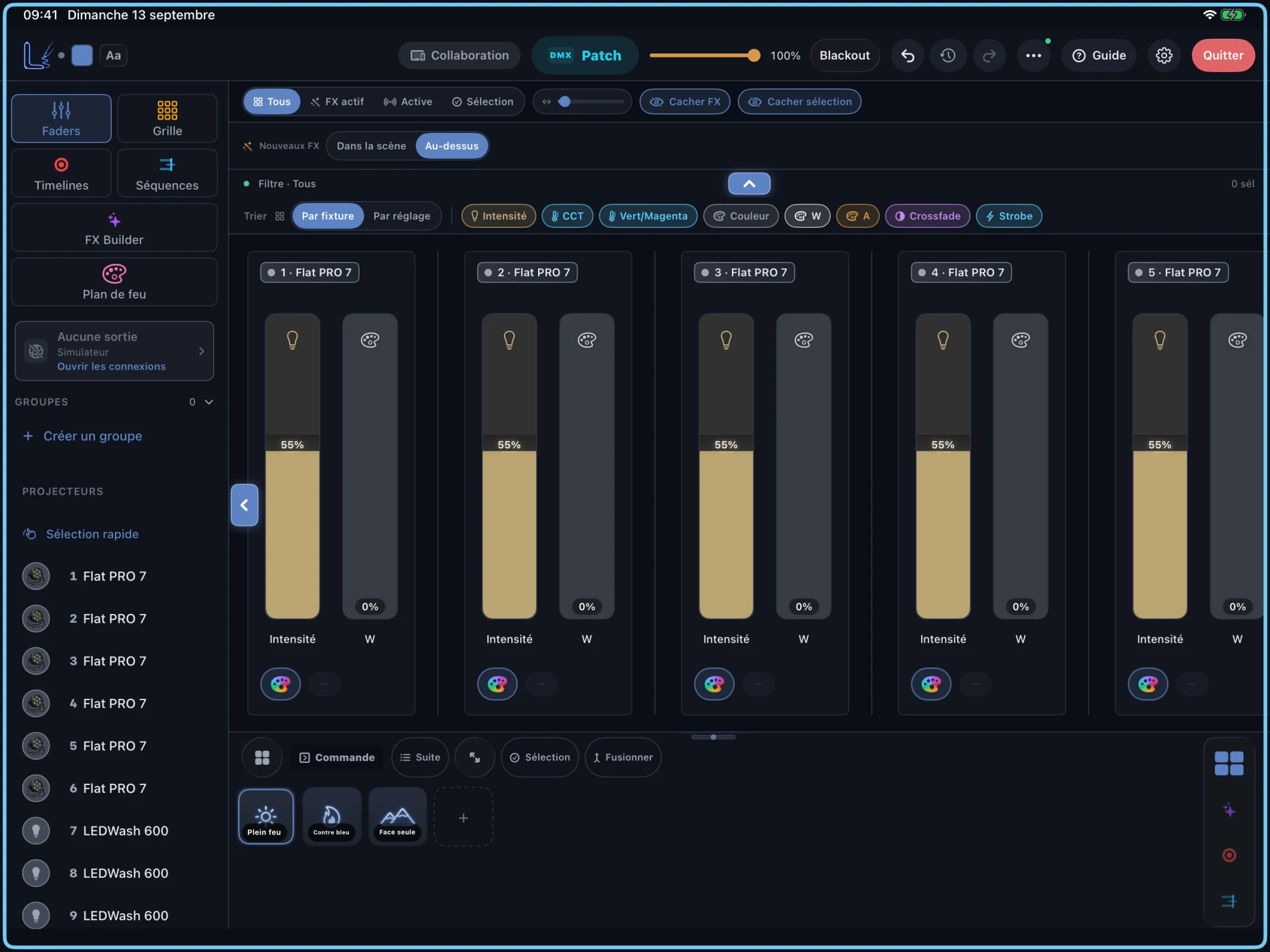
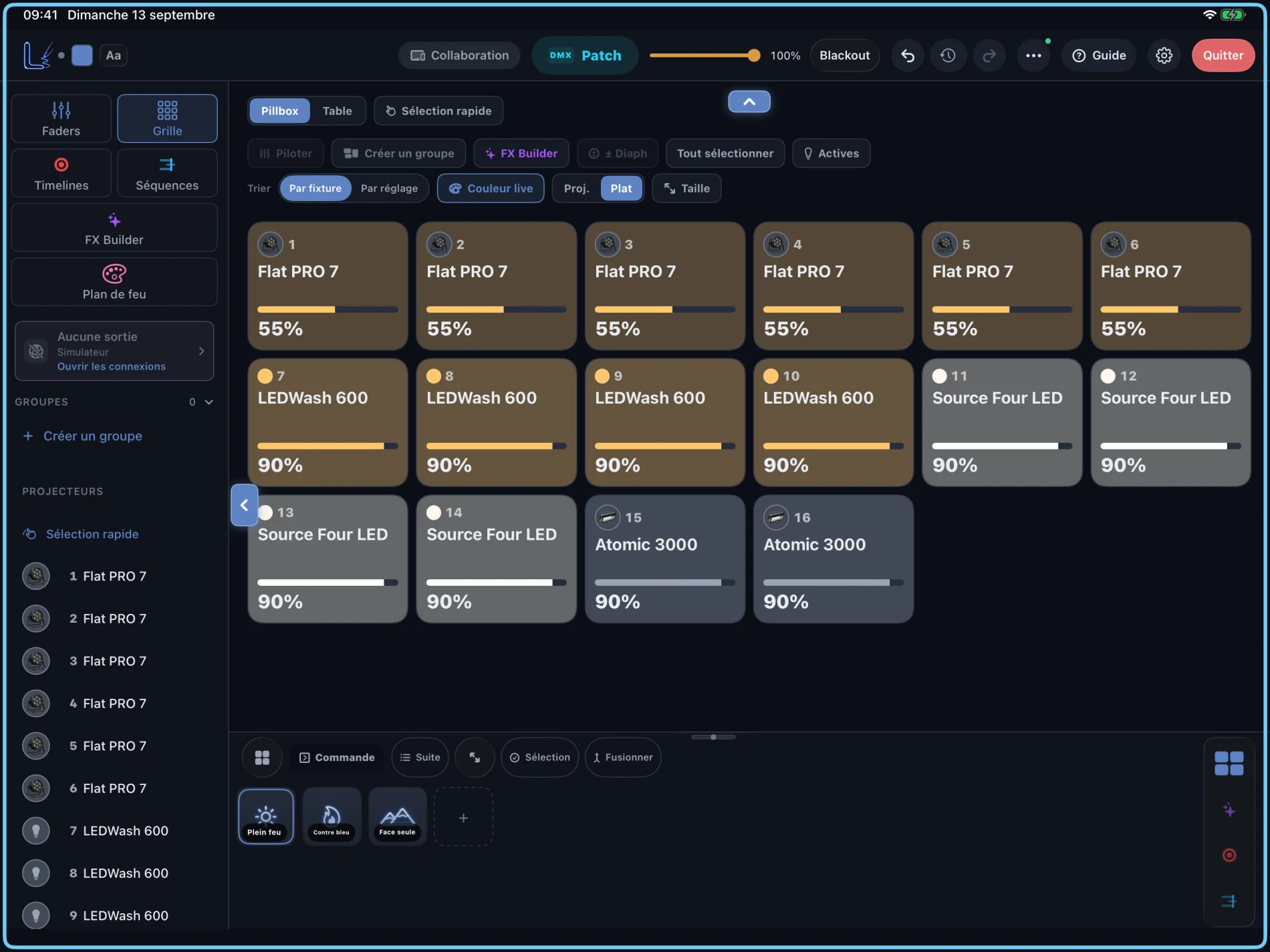
Open the patch, faders or simulator without digging through menus. The important information stays readable when the room gets busy.

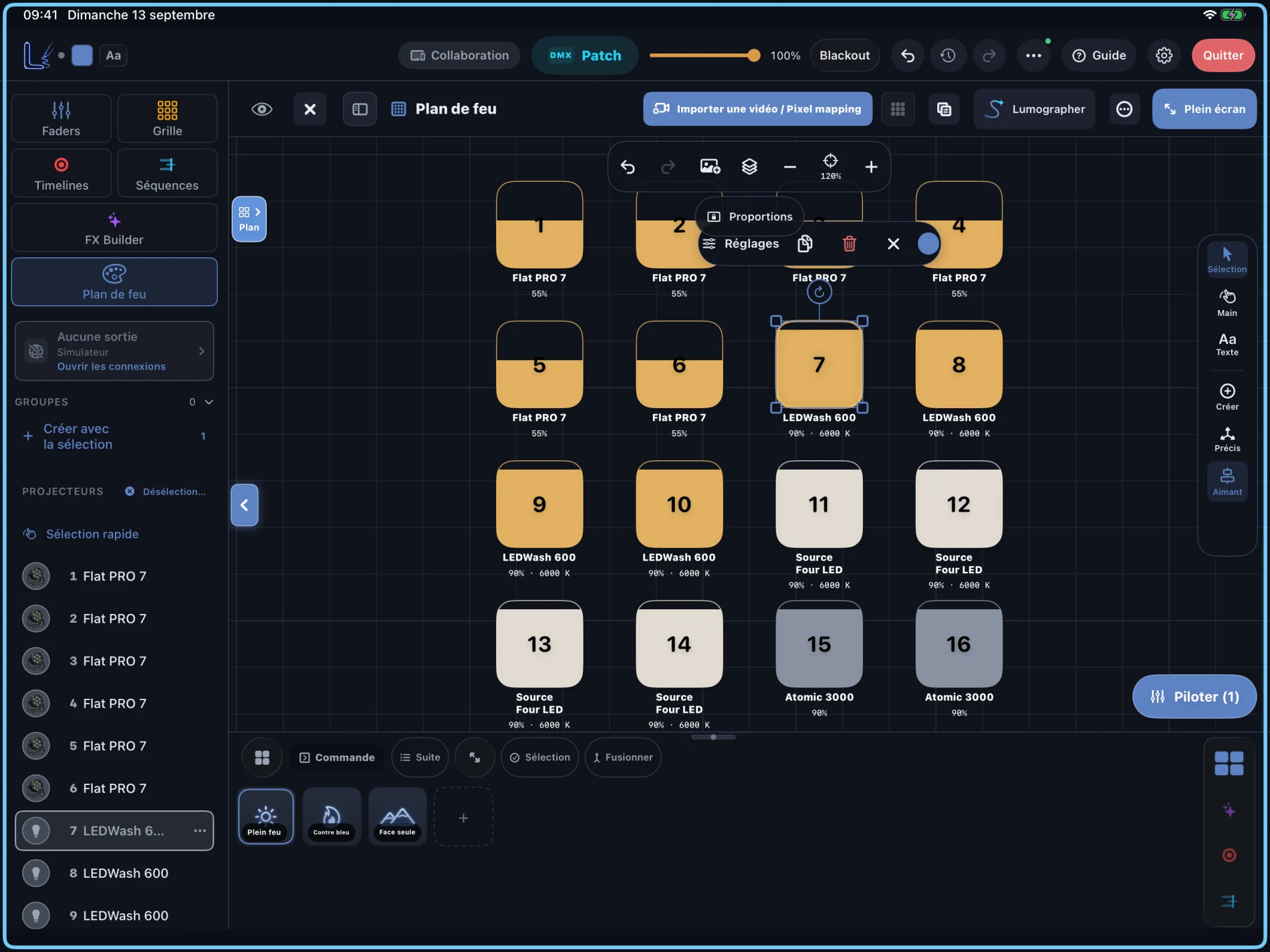
Captured on 13 September 2026 · upcoming version 1.1.3 · demo project, interface in French. Select an image to enlarge it.

Lumographe mascot operating the lighting console on an iPad
Local collaboration

1 iPad, 5 iPhones — or more.

Keep the main console on iPad and connect the crew on the same LAN. Every electrician opens the shared project and can control fixtures, levels and scenes in real time.

iPad · Main consoleLAN host
Lumographe mascot presenting an iPad shared with four phones over the local network
01Electrician 1Connected
02Electrician 2Connected
03Electrician 3Connected
04Electrician 4Connected
05Electrician 5Connected
+More devicesSame LAN

Join by QR code and share the patch, plot, scenes, effects, sequences and timelines according to each participant’s permissions. LAN works without Internet access or an account; the host device controls lighting output on the local network.

In the app today

From lighting plot to playback.

These features are available in Lumographe 1.1.2 on iPad and iPhone.

Lighting plots & export

Place fixtures, draw set elements and annotate your plot. Symbols reflect the light; export your preparation as a PDF or JPG.

Scenes & A/B crossfade

Save a lighting state, recall it with a fade or move gradually between two scenes and their linked effects with the A/B fader.

FX, sequences & pixel mapping

Build effects with steps and keyframes, record your moves into a timeline and animate cells with video positioned on the plot.

MIDI & OSC

Map your controller to faders and scenes with MIDI Learn. Use OSC to connect Lumographe to your control setup.

Patch & custom modes

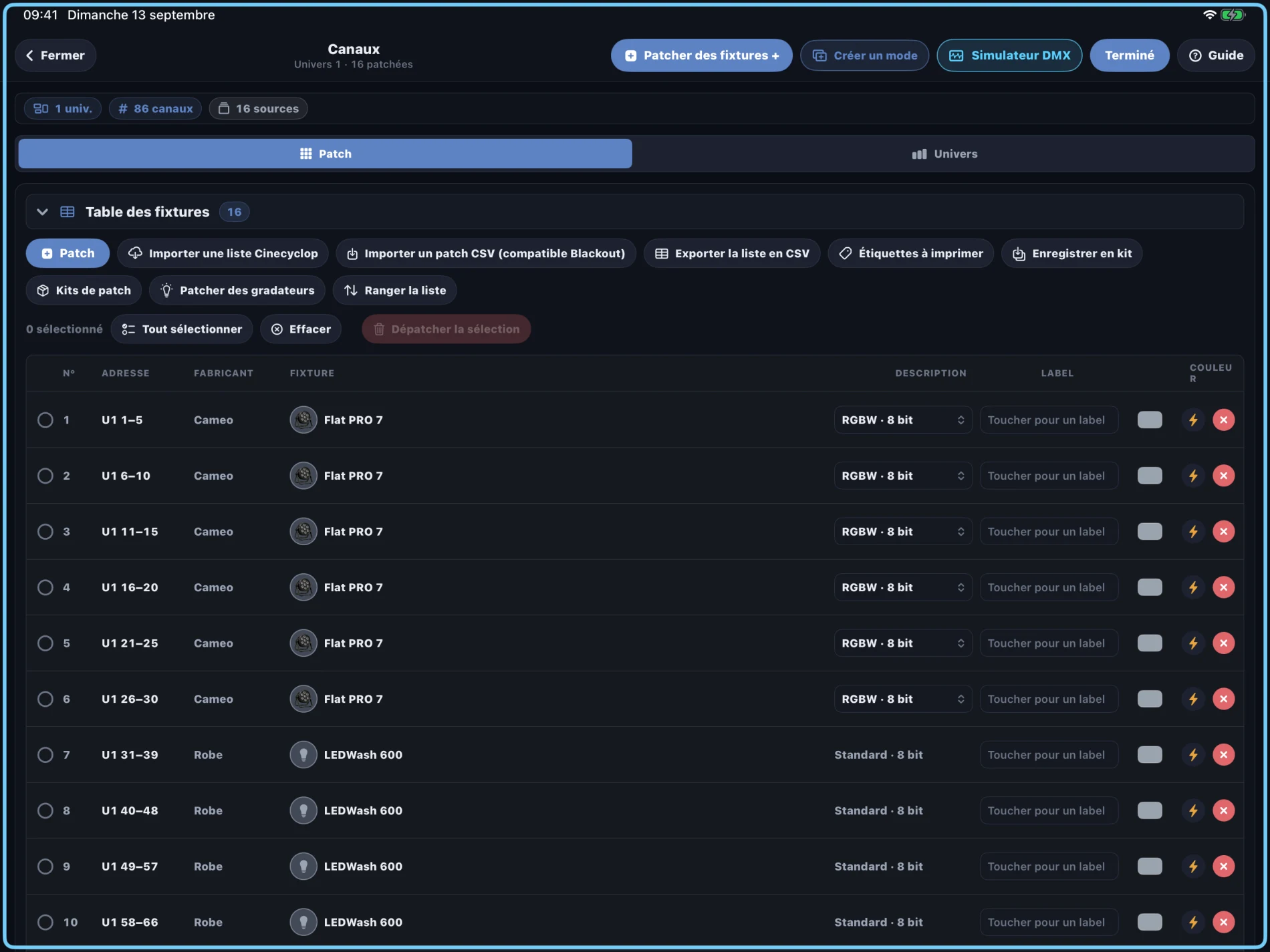
Browse fixture thumbnails, personalities and channels. Import a GDTF file or adapt an existing mode in the DMX profile builder.

Integrated Tournesol control

Control compatible hardware over Wi-Fi, USB or DMX from its cockpit. The 3D preview uses measured positions when available; with DMX alone, it represents the command.

Patch and fixtures

Build the patch without losing the rig map.

Fixture search, universe, address, mode, conflict checks and output view sit in the same workflow. The patch stays close to the signal that leaves the desk.

  • Fixture library and personalities for fast setup.
  • Address overlap checks before showtime.
  • Universe view before sending to the node.
Lumographe mascot setting DMX address 001 on a cinema light
Lumographe patch with fixture thumbnails, DMX modes and addresses

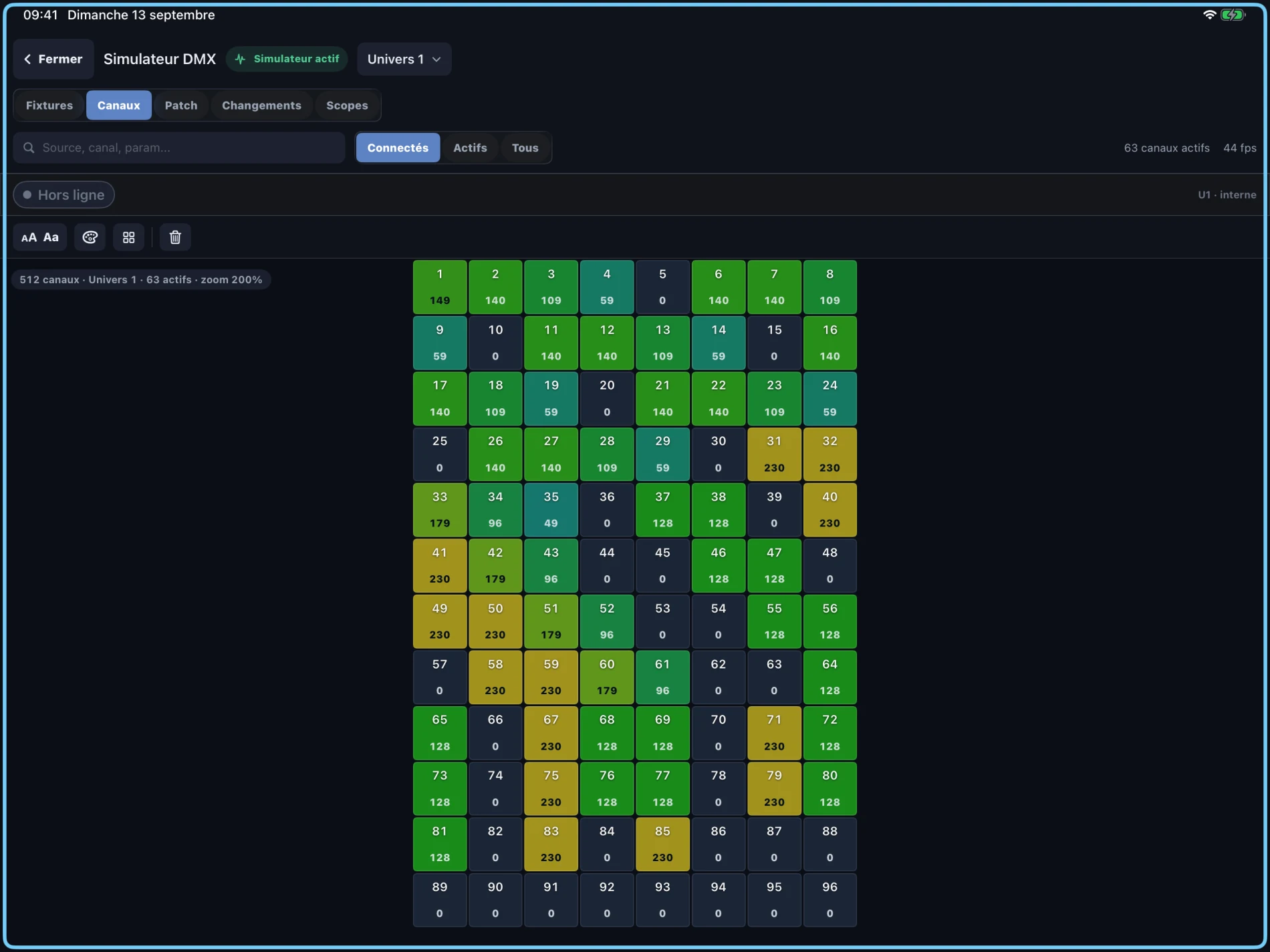
DMX simulator

See the channels before you plug into the rig.

The simulator shows the output frame. It is useful when checking a patch, a scene, an effect or a timeline before sending Art-Net or sACN.

  • Active channel grid by universe.
  • Output levels visible before the node.
  • Stable rehearsal mode when hardware is not connected.
Lumographe DMX simulator with channel grid and colored values

Scenes and playback

Scenes, sequences and timelines.

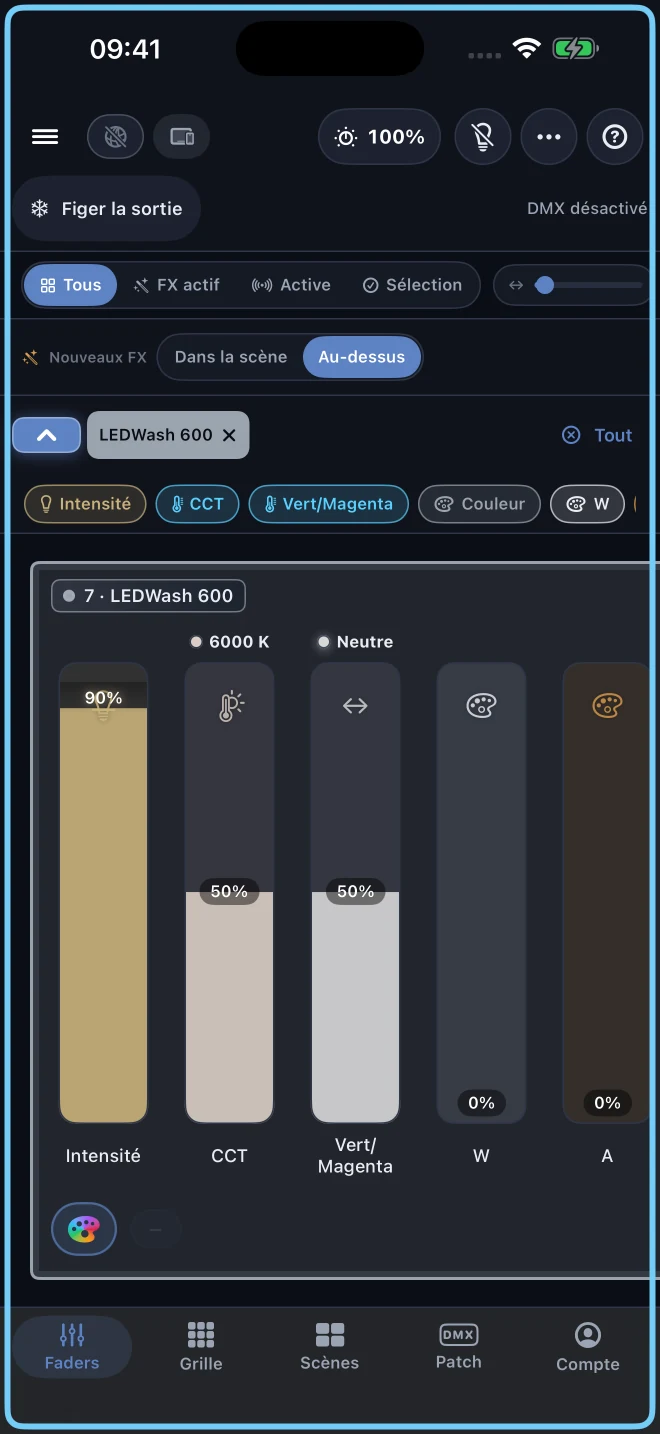
Program scenes from the faders, arrange them into sequences, then replay each move from the same project.

  • Three programmed scenes visible from the fader view.
  • Multi-track sequences for timed playback.
  • Timelines for recorded lighting moves.
Lumographe faders with the Plein feu, Contre bleu and Face seule scenes
Lumographe mascot programming a sequence on an iPad

Native network output. Guided connections.

Lumographe sends Art-Net and sACN from your iPad or iPhone to a compatible DMX node on the local network, over Wi-Fi or an Ethernet adapter. Prepare projects without fixtures in the simulator; connection diagnostics distinguish app transmission from node discovery.

Lumographe mascot presenting an iPad, a local bridge and network output
Art-Net

Direct network output from the app to compatible Art-Net nodes on your local network.

sACN

E1.31 universes for venues that already run lighting over IP.

iPad

A touch surface for patching, programming and playback without putting a keyboard in front of the operator.

Wi-Fi or Ethernet

Connect to the lighting network over Wi-Fi or a compatible Ethernet adapter. The app guides interface and node selection.

Designed in France

Built by a lighting technician, not a committee.

Paris · cinema · live rooms · DMX habits learned on real sets

Lumographe is designed by Come Nolo, French gaffer and lighting technician. The interface comes from everyday lighting work: patching under time pressure, reading a rig quickly, and checking the signal before it touches hardware. That is the point of the product.

Download and connections.

The app is available now. The upcoming 1.1.3 additions are listed separately above.

Where can I download it?

Lumographe 1.1.2 is available on the App Store for iPad and iPhone. Version 1.1.3 has been submitted to Apple and will follow after approval and release.

Is it a full DMX console?

Lumographe includes fixture patching, a lighting plot, faders, A/B scenes, FX, sequences, timelines, MIDI, OSC and Art-Net/sACN output.

Do I need hardware?

You can prepare projects in the built-in simulator. To control DMX fixtures, connect a compatible Art-Net or sACN node to the local network. A separate computer is not required for native network output.

Your lighting console, on iPad and iPhone.

Download Lumographe on the App Store, explore the console in the simulator and prepare your next lighting project.